

SMS Verification

Effective Date: July 2026
How ThoughtApp Uses SMS
ThoughtApp uses SMS messages exclusively to verify ownership of your mobile phone number during account registration and sign-in.
ThoughtApp sends SMS messages only for account verification and account security. ThoughtApp does not send marketing, promotional, advertising, sales, fundraising, or other non-authentication SMS messages.
Verification Process
Users verify their mobile phone number by following these steps:
- Open the ThoughtApp mobile application.
- Enter a mobile phone number.
- Review the SMS consent disclosure.
- Provide consent by tapping Continue.
- Receive a one-time verification code by SMS.
- Enter the verification code to complete phone number verification.
Verification messages are sent only after the user taps Continue and requests phone number verification.
SMS Consent Disclosure
Before requesting a verification code, users are presented with the following notice:
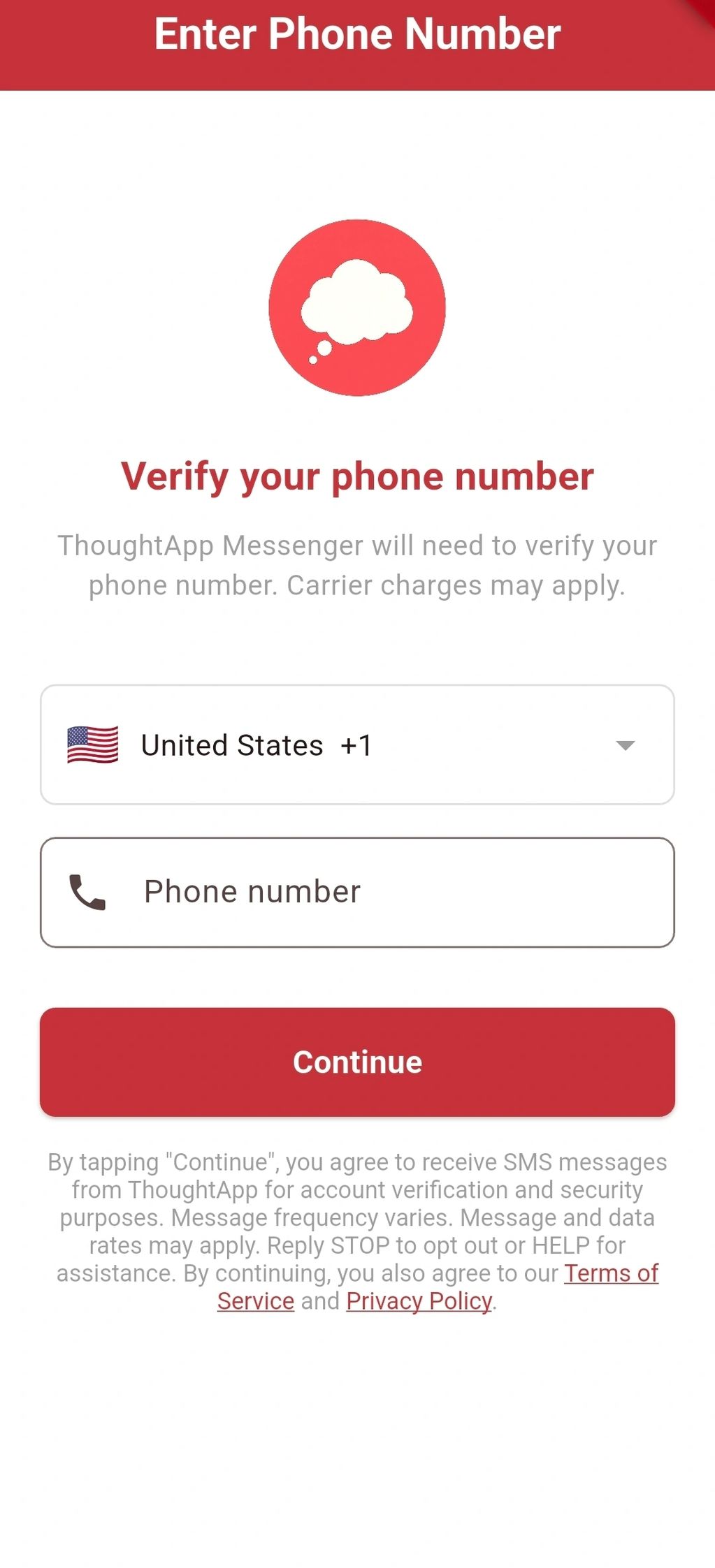
By tapping Continue, you agree to receive SMS messages from ThoughtApp for account verification and security purposes. Message frequency varies. Message and data rates may apply. Reply STOP to opt out or HELP for assistance. By continuing, you also agree to our Privacy Policy and Terms & Conditions.
Step 1 – Enter your phone number
Users enter their mobile phone number and review the SMS consent disclosure before tapping Continue. The disclosure explains that authentication SMS messages are used only for account verification and security, that message frequency varies, message and data rates may apply, and that users may reply STOP or HELP.
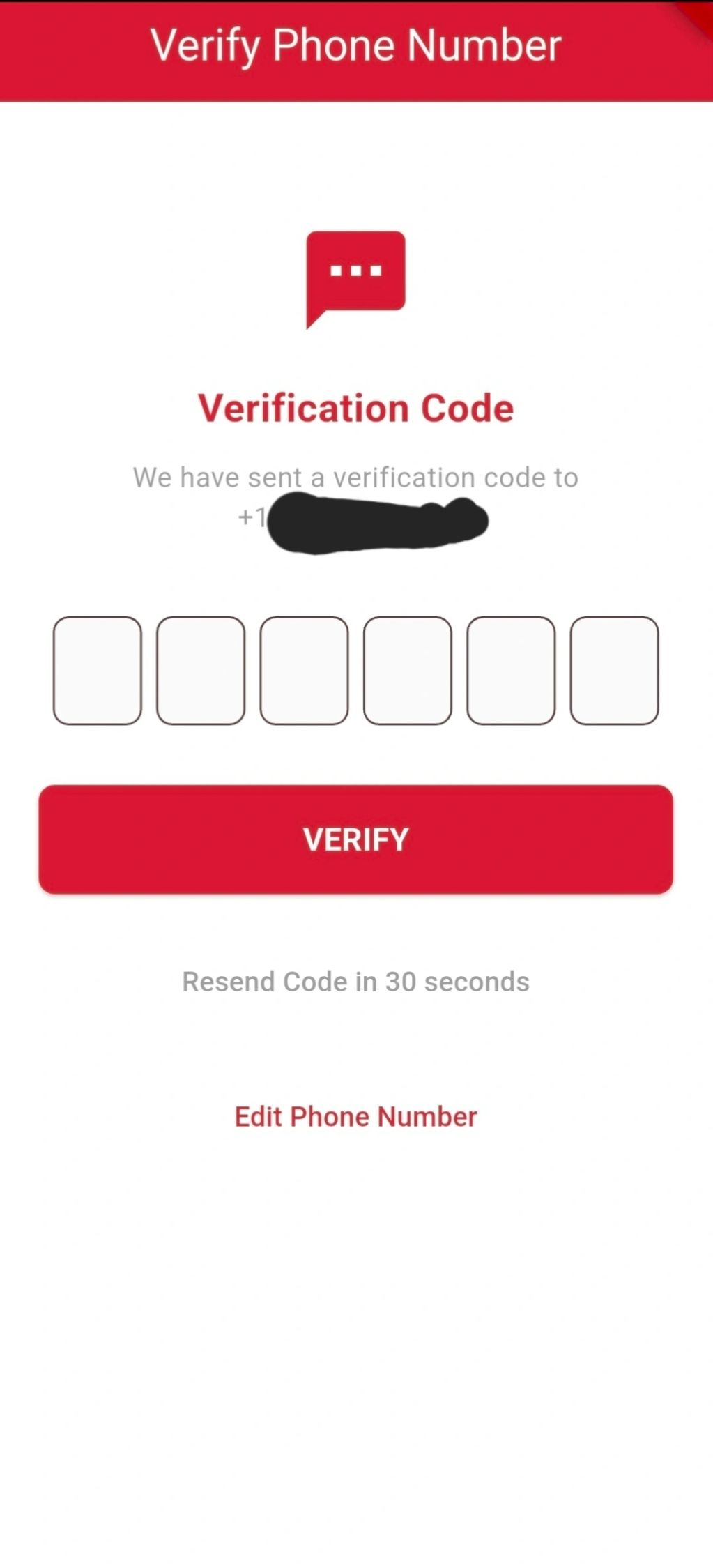
Step 2 – Verify Your Phone Number
After the user taps Continue, ThoughtApp sends a one-time verification code by SMS. The user enters the verification code to verify ownership of the phone number and complete authentication.
Types of Messages
ThoughtApp sends only the following SMS messages:
- One-time verification codes (OTP)
- Account authentication messages required to verify ownership of a user's mobile phone number
ThoughtApp does not send:
- Marketing messages
- Promotional offers
- Advertising messages
- Sales messages
- Fundraising messages
Message Frequency
Message frequency varies depending on how often you request phone number verification or sign in to your ThoughtApp account.
Opt-Out
Reply STOP at any time to stop receiving authentication SMS messages.
Help
Reply HELP for assistance or contact us at:
Email: hello@getthoughtapp.com
Additional Information
- Message and data rates may apply.
- SMS messages are used solely for account verification and account security.
- Authentication SMS messages are sent only after the user requests phone number verification through the ThoughtApp mobile application.
Related Policies
Privacy Policy
https://getthoughtapp.com/privacy-policy
Terms & Conditions